
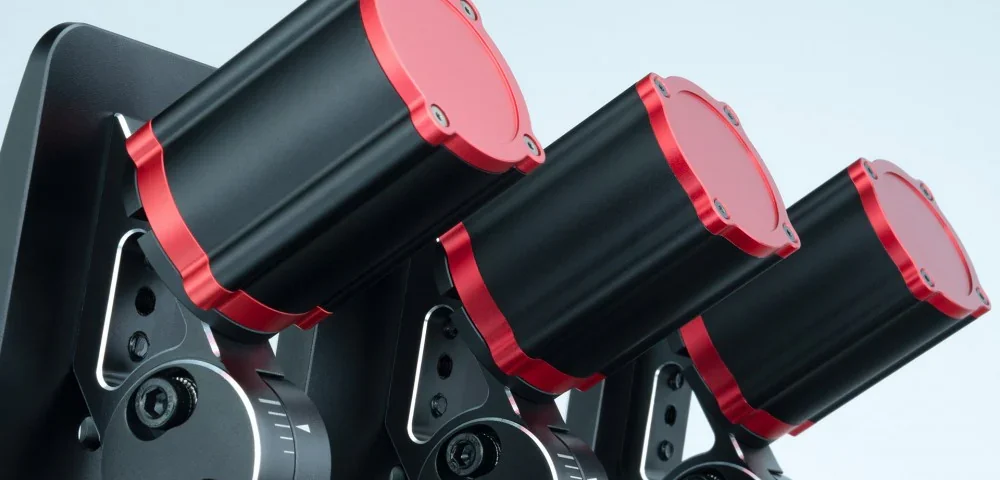
This page drives pedal haptics by generating vibration commands for Simagic HPR devices connected to the clutch, brake, and throttle pedals.
This works for any Simagic pedal haptic device (P-HPR, P-HPR GT, P-HPR NEO) connected to P500, P700, or P1000 pedal bases, or the P2000 Haptic Control Box.
MAIRA can run up to 3 “effect slots” per pedal. For each pedal, MAIRA checks slot 1 → slot 2 → slot 3 and plays the first effect that is currently active (first-match wins). Slot 1 is therefore your highest priority effect — put the one you least want to miss there.
There are also global shaping controls (frequency/amplitude ranges + curves) that affect most effects.
Almost everything on this page can be saved per car and per track. Right-click a setting’s name to choose how it is saved — see Tuning Profiles.
The same pedal effects you configure on this page can also drive non-Simagic pedal haptics through SimHub. MAIRA ships with a SimHub telemetry plugin that publishes each pedal’s live effect frequency and amplitude, so SimHub can play those effects on any pedal hardware it controls. This is set up inside SimHub (using MAIRA’s telemetry plugin), not on this page.
DEVICE
Turns Simagic HPR pedal output on/off. Shows what MAIRA detected:
[No compatible Simagic pedals found] or Simagic P500/P700/P1000/P2000 Pedals
Default: OFF
Global frequency
These settings define the frequency “workspace” that effects operate inside. Every effect’s own frequency setting is a percentage across this range, so widening or narrowing it here rescales all of them at once.
Minimum
The starting (bottom-most) frequency for effects.
Default: 0 Hz
Maximum
The ending (top-most) frequency for effects.
Default: 50 Hz
Curve
This defines how MAIRA should transition (ramp) from minimum to maximum frequency.
- 0% (OFF) means to use a linear (straight) transition from minimum to maximum
- Larger positive numbers mean to transition more slowly from minimum to maximum
- Larger negative numbers mean to transition more quickly from minimum to maximum
Default: 25%
Global amplitude
Same idea as Global frequency, but for output intensity. This is the “global volume” of all effects.
Minimum
Default: 0%
Maximum
Default: 100%
Curve
Default: OFF
Clutch / Brake / Throttle
Each pedal has 3 effects slots.
Pedal effects
Choose from: None, Gear change, ABS engaged, RPM, Shift RPM, Understeer effect, Oversteer effect, Seat-of-pants effect, Wheel lock, Wheel spin, or Clutch slip.
All three slots on a pedal share one set of context switches — the ones on the slot 1 row — so a pedal’s whole three-slot layout is saved and recalled together. The same is true of the three Strength knobs.
Default for Clutch: Gear change / Clutch slip / None
Default for Brake: ABS engaged / Wheel lock / Understeer effect
Default for Throttle: Wheel spin / Shift RPM / Oversteer effect
Status
A live readout for each slot, so you can see what your pedals are doing without having to feel for it:
- Active — this is the effect currently vibrating the pedal.
- Suppressed — this effect wants to play, but a higher slot on the same pedal got there first. Seeing this a lot is a sign you should reorder the slots.
- Idle — the effect is set up but its condition is not happening right now.
- Blank — the slot is set to None.
Strength
Basically, this is the “volume” of the effect – how strongly it is played.
Default: 100%
Test
Plays the effect on the selected slot on that pedal for approximately 3 seconds. While a test is running the other two slots on that pedal are held back, so you hear the one you asked for on its own.
Each Test button can be mapped to a wheel or controller button, so you can trigger it without reaching for the mouse.
Gear change – shift into gear
Controls the “gear change kick” feel when shifting into a forward or reverse gear.
Frequency
Default: 30% (15 Hz)
Amplitude
Default: 100%
Duration
Default: 0.1 sec
Gear change – shift into neutral
Same as above, but when shifting into neutral.
Frequency
Default: 70% (35 Hz)
Amplitude
Default: 75%
Duration
Default: 0.05 sec
ABS engaged
Vibration while ABS is active.
Frequency
Default: 50% (25 Hz)
Amplitude
Default: 100%
Fade with brake
When this is ON, the effect amplitude is modulated by the brake pedal.
Default: ON
RPM
Vibration that increases as RPM approaches shift RPM.
Starting RPM
This is the percentage of the shift RPM to start vibrating at. For example, if the shift RPM of the current car is 6000 RPM and you set this to 50%, then the pedal will start vibrating at 3000 RPM. Setting it to 100% means to vibrate only when the engine is at shift RPM.
The vibration ramps up across that range: it starts at the global minimum frequency where it first kicks in and reaches the global maximum frequency at the shift point, following the global frequency curve.
Default: 25%
Vibrate in top gear
Since you can’t shift up when you are already in top gear, it makes little sense to vibrate the pedal if you are in top gear, so the default is OFF.
Default: OFF
Fade with throttle
When this is ON, the effect amplitude is modulated by the throttle pedal.
Default: ON
Shift RPM
A shift-light-style effect that vibrates the pedal once you reach the shift point, cueing you to change up. It plays when engine RPM is at or above the car’s shift-light RPM and you are not already in top gear.
Where the RPM effect builds gradually as you approach the shift point, this one is a plain on/off cue at the shift point itself. Pairing them in two slots on the same pedal — RPM in the lower-priority slot, Shift RPM above it — gives you a ramp that turns into an unmistakable signal.
Frequency
Default: 100% (50 Hz)
Amplitude
Default: 100%
Pulsate
When this is ON, the effect pulses on and off (like a flashing shift light) instead of vibrating continuously.
Default: ON
Wheel lock
Detects lock-up by comparing the current RPM ↔ speed ratio vs the expected ratio for the current gear.
Frequency
Default: 20% (10 Hz)
Sensitivity
The higher this number is, the more likely the effect will activate.
Default: 95%
Fade with brake
When this is ON, the effect amplitude is modulated by the brake pedal.
Default: ON
Wheel spin
Wheel spin is detected similarly to wheel lock, but in the opposite direction, when too much RPM is seen for the current vehicle speed and gear.
Frequency
Default: 100% (50 Hz)
Sensitivity
The higher this number is, the more likely the effect will activate.
Default: 95%
Fade with throttle
When this is ON, the effect amplitude is modulated by the throttle pedal.
Default: ON
Clutch slip
Vibrates when the clutch pedal is inside a defined range.
Starting point
Default: 25%
Ending point
Default: 75%
Frequency
Default: 100% (50 Hz)
Understeer / Oversteer / Seat-of-pants
These sections tune how Steering Effects get translated into pedal vibration.
Minimum frequency
The frequency to vibrate the pedal at, when below the steering effects maximum threshold.
Default: 10% (5 Hz)
Maximum frequency
The frequency to vibrate the pedal at, when at or above the steering effects maximum threshold.
Default: 100% (50 Hz)
Curve
Default: OFF
Other features
Noise damper
Reduces noise caused by Simagic HPRs bottoming out due to a combination of too-low frequency and too-high amplitude. This should only be used with linear motor HPRs. If you are using rumble-style HPRs then this should be set to 0% (OFF).
Default: 10%
Previous page: Steering Effects
Next page: Typhoon Wind