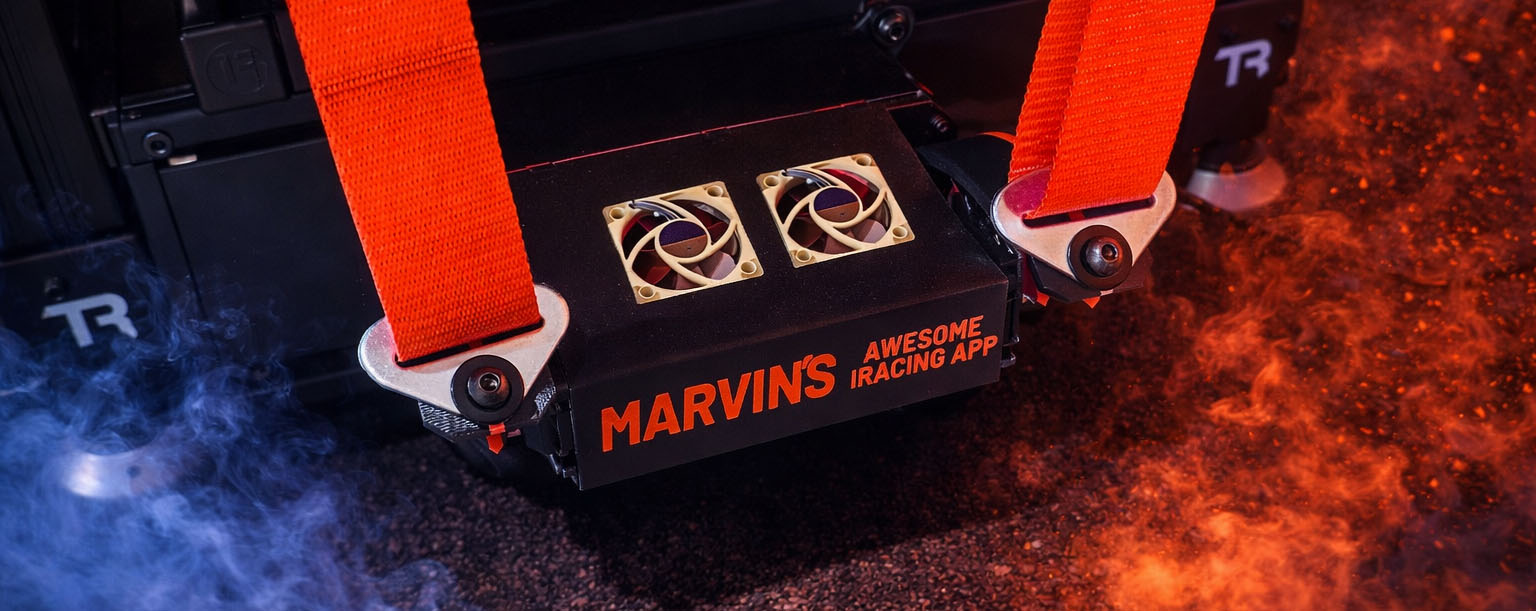
You will need to build the MAIRA G Tensioner to use this feature. More details on that can be found here: G Tensioner
This page drives the MAIRA G Tensioner (GT) by converting iRacing acceleration data into left and right shoulder belt positions.
MAIRA blends surge (forward/back), sway (left/right), heave (up/down), and seat-of-pants into independent belt commands for the left and right shoulders. Vibration effects for ABS, wheel slip, and rumble strips can also be layered on top.
In practice, acceleration usually tightens both belts, braking usually loosens both belts, cornering can tighten one shoulder more than the other, and vertical motion can tighten both belts together.
The MAIRA G Tensioner is a USB serial device. MAIRA detects it and sends live position commands while you are on track.
CONNECTION
Connect to MAIRA G Tensioner
Connects or disconnects the G Tensioner hardware immediately. The first connection attempt after MAIRA starts also scans your USB serial ports to find the device, so it can take a few extra seconds. If the device is not available, the switch shows an error instead of connecting.
Connect to MAIRA G Tensioner on app startup
When this is ON, MAIRA will automatically connect to the G Tensioner when the app starts.
Default: OFF
CALIBRATION
These settings define the mechanical travel range and neutral position of the G Tensioner.
Minimum angle
The loosest allowed belt position. MAIRA will not command the motors below this angle.
Default: 60.0°
Neutral angle
The resting belt position that MAIRA treats as the center point between loosening and tightening.
Default: 90.0°
Maximum angle
The tightest allowed belt position. MAIRA will not command the motors above this angle.
Default: 120.0°
Max motor speed
This is the maximum motor speed (in degrees per second) sent to the G Tensioner controller. Lower values make belt motion slower and smoother. Higher values make it react faster and more aggressively, and also makes the motors run hotter.
Default: 180°/s
Inverted arms
Reverses the travel direction of the tensioner arm motors. Turn this ON if your hardware is assembled so that the arms move the opposite way from what MAIRA expects (for example, the belts loosen when they should tighten). Leave it OFF if the arms already move in the correct direction.
Default: OFF
Test
Runs a calibration sweep test that drives the motors through the full range from minimum to maximum and back to neutral. Use this to verify your calibration angles are set to safe values.
AUTO-TUNE
Auto-Tune learns the G forces your car actually produces while you drive and continuously sets the Max g force for the surge, sway, and heave axes (along with the seat-of-pants scale) for you. This keeps the belts using their full range on any car without having to hand-tune each one.
While Auto-Tune is ON, the Max g force knobs for Surge, Sway, and Heave — along with the Seat of Pants Amplitude and Curve — are driven automatically and appear disabled. Turning Auto-Tune OFF hands control back to you and restores your own manual settings.
Enabled
Turns Auto-Tune on or off. When ON, MAIRA learns and adapts the per-axis Max g force and the seat-of-pants scale as you drive.
Default: ON
Balance
A triangle with Sway at the top, Surge at the bottom-left, and Heave at the bottom-right. Drag the dot toward a corner to give that axis more of the belt range while fading the others back; the center point weights all three axes equally. The seat-of-pants scale follows the sway weight, so the two rise and fall together.
Default: Centered (equal weighting)
The Surge, Sway, Heave, and Seat of Pants readouts next to the triangle show the current auto-tuned values live as MAIRA learns them.
Learning only happens while you are out in the car and moving faster than about 20 mph (32 km/h) — it pauses when you are not on track, when you slow below that speed, and while crash or curb protection is active. Sudden one-off spikes in the G forces are ignored as well, so a single bump, curb strike, or light contact cannot skew the tune. Learned peaks decay slowly over time so the tune keeps adapting as grip and conditions change. The learned values are not saved — Auto-Tune starts fresh from a light baseline each time you go on track and reconverges within a second or two. Its on/off state and the balance are still remembered per car through MAIRA’s per-context system.
SURGE
Surge controls how forward/backward acceleration affects both belts together.
- Acceleration tightens both belts
- Braking loosens both belts
Axis mode
Controls whether surge is active and which direction it acts. Disabled turns surge off entirely. Normal means acceleration tightens and braking loosens. Inverted reverses that relationship.
Default: Normal
Subtract gravity
When this is ON, MAIRA removes the gravity component caused by vehicle pitch before calculating surge output. This can reduce false belt movement on hills or steep banking.
Default: ON
Max g force
This sets the surge acceleration needed to reach full effect. Lower values make the belts react more strongly to small acceleration changes. Higher values require more G force before full tightening or loosening is reached. When Auto-Tune is enabled, this value is set automatically and the control is disabled.
Default: 4.00 G
Dead zone
Any surge acceleration below this threshold is ignored and treated as zero. This can help eliminate small unwanted belt movements when the car is nearly still or on a straight.
Default: 0%
Smoothing
Applies an exponential moving average to the surge signal. Higher values smooth out rapid changes and make the belt response feel more gradual. Lower values keep the response more immediate.
Default: 0%
Curve
Adjusts the response curve shape for the surge axis.
Default: OFF
Test
Plays a short suspension-like test signal through the belts so you can feel how your current surge settings will respond without needing to be on track.
The graph on the right shows the live surge signal. The Min g and Max g values beneath it are the smallest and largest surge acceleration seen since you last went on track, which is handy for choosing a Max g force by hand.
SWAY
Sway controls the left/right weight transfer effect between the two shoulders.
- One shoulder can tighten while the other loosens
- This helps represent lateral load transfer during cornering
Axis mode
Controls whether sway is active and which direction it acts. Disabled turns sway off entirely. Normal means the outside shoulder tightens during cornering. Inverted reverses that relationship.
Default: Normal
Subtract gravity
When this is ON, MAIRA removes the gravity component caused by vehicle roll before calculating sway output. This can reduce false shoulder bias on heavily banked surfaces.
Default: ON
Max g force
This sets the sway acceleration needed to reach full left/right bias. Lower values make the belts react more strongly to cornering forces. Higher values make the effect less sensitive. When Auto-Tune is enabled, this value is set automatically and the control is disabled.
Default: 2.00 G
Dead zone
Any sway acceleration below this threshold is ignored and treated as zero. This can help eliminate small belt differences when driving in a straight line.
Default: 5%
Smoothing
Applies an exponential moving average to the sway signal. Higher values smooth out rapid lateral changes. Lower values keep the response more immediate.
Default: 0%
Curve
Adjusts the response curve shape for the sway axis.
Default: 15%
Test
Plays a short suspension-like test signal through the belts so you can feel how your current sway settings will respond without needing to be on track.
The graph on the right shows the live sway signal. The Min g and Max g values beneath it are the smallest and largest sway acceleration seen since you last went on track, which is handy for choosing a Max g force by hand.
HEAVE
Heave controls how vertical acceleration affects both belts together.
By default, upward body loading (for example compressions or bumps) increases belt tension, while the opposite direction reduces it.
Axis mode
Controls whether heave is active and which direction it acts. Disabled turns heave off entirely. Normal means upward body loading tightens the belts. Inverted reverses that relationship.
Default: Normal
Subtract gravity
When this is ON, MAIRA removes the gravity component from vertical acceleration before calculating heave output. This is usually the most useful axis to gravity-correct.
Default: ON
Max g force
This sets the vertical acceleration needed to reach full heave effect. Lower values increase sensitivity. Higher values reduce sensitivity. When Auto-Tune is enabled, this value is set automatically and the control is disabled.
Default: 1.50 G
Dead zone
Any heave acceleration below this threshold is ignored and treated as zero. This can help eliminate small unwanted belt changes caused by minor road imperfections.
Default: 5%
Smoothing
Applies an exponential moving average to the heave signal. Higher values smooth out rapid vertical changes. Lower values keep the response more immediate.
Default: 10%
Curve
Adjusts the response curve shape for the heave axis.
Default: 15%
Test
Plays a short suspension-like test signal through the belts so you can feel how your current heave settings will respond without needing to be on track.
The graph on the right shows the live heave signal. The Min g and Max g values beneath it are the smallest and largest heave acceleration seen since you last went on track, which is handy for choosing a Max g force by hand.
SEAT OF PANTS EFFECT
The seat-of-pants effect adds a constant force effect to the belts that is driven by the movement of the car’s chassis. This gives a physical sense of the car’s behavior through belt tension. This effect runs independently of the Steering Effects page — the seat-of-pants steering effect there does not need to be enabled.
The Minimum threshold, Maximum threshold, and Algorithm below are the same three settings as the seat-of-pants ones on the Steering Effects page. Changing them here changes them there too, and the other way around. The Axis mode, Amplitude, and Curve belong to the G Tensioner alone.
When Auto-Tune is enabled, the seat-of-pants strength is set automatically (scaled together with the sway balance) and the Amplitude and Curve controls below are disabled.
Axis mode
Controls whether the seat-of-pants effect is active and which direction it acts. Disabled turns it off entirely. Normal applies it in the standard direction. Inverted reverses the effect.
Default: Normal
Minimum threshold
The signal level below which no seat-of-pants effect is produced. Signals below this threshold are ignored entirely, which helps suppress the effect during calm driving.
Default: 0.00
Maximum threshold
The signal level at which the seat-of-pants effect reaches full amplitude. Signals above this threshold are clamped to full effect.
Default: 10.00
Algorithm
Selects which chassis signal is used to drive the seat-of-pants effect. Choose the one that feels most natural for your setup.
Amplitude
The maximum belt angle deviation (in degrees) used for the seat-of-pants constant force. Higher values produce a stronger physical sensation. This control is disabled while Auto-Tune is enabled.
Default: 120.0°
Curve
Adjusts the response curve shape for the seat-of-pants amplitude scaling. This control is disabled while Auto-Tune is enabled.
Default: 25%
VIBRATION EFFECTS
These effects add rapid belt oscillations in response to specific car events. Each effect has an independent enable switch, frequency, and amplitude, and each can be tested without going on track.
Only one vibration effect runs at a time. ABS / wheel lock wins over Wheel slip, and Wheel slip wins over Rumble strip. The rumble strip effect is the only one that can run on a single shoulder, because it follows whichever side of the car is on the strip.
ABS / wheel lock
When this is ON, MAIRA vibrates the belts whenever ABS or wheel lock is detected. This helps communicate brake lockup directly through the harness.
Default: ON
ABS / wheel lock — Frequency
The vibration frequency in Hz for the ABS / wheel lock effect. Higher values produce a faster, buzzier feel. Lower values produce a slower, choppier feel.
Default: 8 Hz
ABS / wheel lock — Amplitude
The belt angle swing (in degrees) used for the ABS / wheel lock vibration. Higher values produce a stronger physical sensation.
Default: 30.0°
Wheel slip
When this is ON, MAIRA vibrates the belts whenever wheel slip is detected. This helps communicate drive wheel spin through the harness.
Default: ON
Wheel slip — Frequency
The vibration frequency in Hz for the wheel slip effect.
Default: 10 Hz
Wheel slip — Amplitude
The belt angle swing (in degrees) used for the wheel slip vibration.
Default: 30.0°
Rumble strip
When this is ON, MAIRA vibrates the belts whenever a rumble strip is detected. This gives a tactile cue when a wheel crosses the track edge.
Default: ON
Rumble strip — Frequency
The vibration frequency in Hz for the rumble strip effect.
Default: 12 Hz
Rumble strip — Amplitude
The belt angle swing (in degrees) used for the rumble strip vibration.
Default: 30.0°
MOTOR OUTPUT
This section shows the live output graphs for the left and right shoulder motors after surge, sway, heave, and the seat-of-pants effect have been combined.
These are display-only graphs. They are useful for seeing how MAIRA is blending all axes into final belt commands. When a vibration effect (ABS / wheel lock, Wheel slip, or Rumble strip) is active, a label appears on the relevant graph to indicate which effect is running.
NOTES
Auto-Tune, the balance, every surge, sway, and heave control, and the seat-of-pants axis mode, thresholds, algorithm, and curve all support MAIRA’s per-context system, so they can be customized per car (and other context dimensions if configured).
The connection settings, the calibration settings, the seat-of-pants amplitude, and the vibration effect settings are global — they apply to every car.
Internally, MAIRA applies a soft limiter before mapping the combined signal into the calibrated minimum → neutral → maximum angle range. This helps prevent the final belt output from becoming too abrupt when multiple axes stack together.
Vibration effects are applied as a separate oscillation layer on top of the positional output. They do not interact with the soft limiter or the per-axis dead zone and smoothing settings.
Previous page: Typhoon Wind
Next page: AdminBoxx